


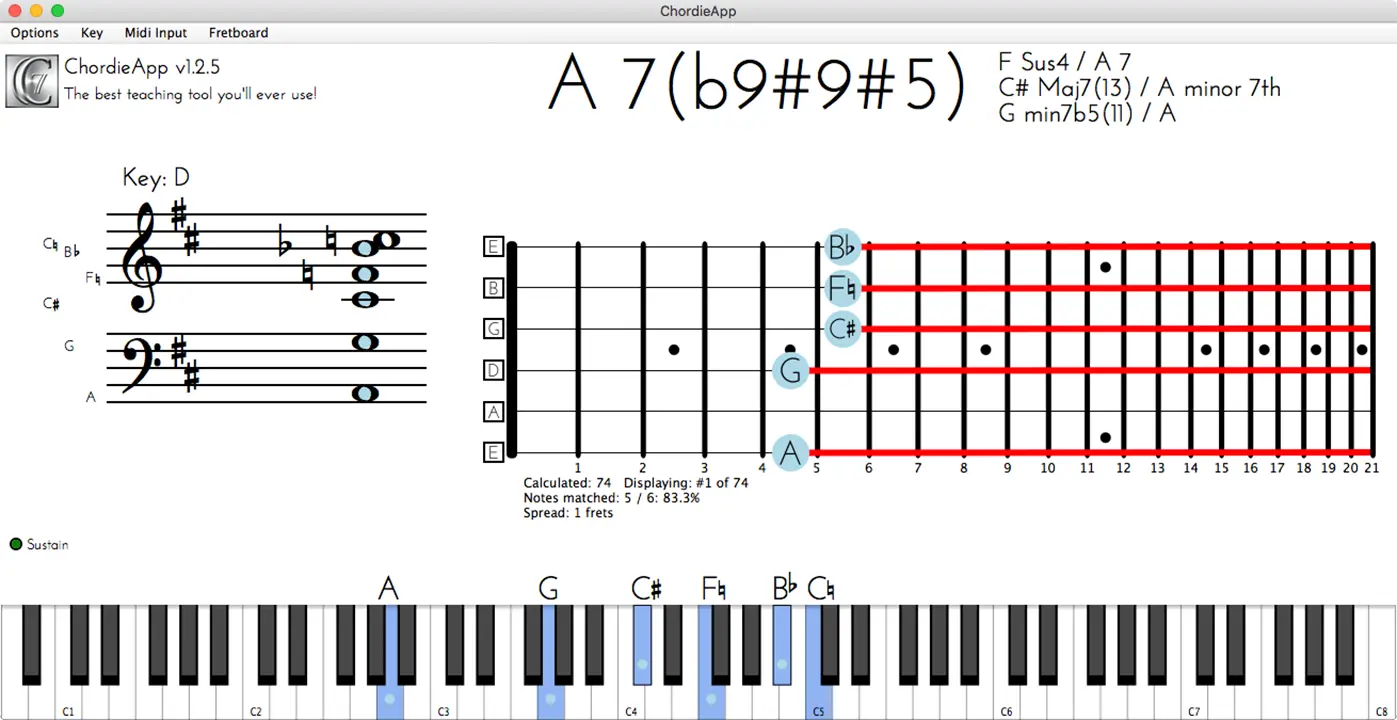
- Product: Chordie App
- Developer: MatKat Music
- Format: Standalone
- Requirements: Windows 10 or later
- Source: chordieapp.com
Chordie is a very simple little app that shows you what you’re playing when you plug in a MIDI keyboard. It’s a standalone app — it doesn’t work inside Pro Tools or Logic, it’s not a plugin — just something you run on Mac or Windows.
Play a C chord and it names it at the top, shows the notes on a guitar fretboard, mirrors them on an onscreen keyboard, and lays it out in old-school musical notation across the treble and bass clefs on the left.
This is basically a simple teaching app. Imagine working with a guitarist while you’re on keyboard, and they can’t quite follow the notes you’re playing to work out their own chords — you could use Chordie to help work out an arrangement together. Play a C-E-G-C — guitarists will recognize that as the C-shaped chord — and you can see it on the left in the bass clef, on the fretboard at the top, and on the keyboard at the bottom. Add a ninth, a seventh, an inversion, or change the whole chord to an F major 7, and it updates everywhere at once.
Now flip it around — if the guitarist thinks you’re not quite getting the notes they’re playing, you can just click notes directly on the app to build a chord, or click them off again, without touching a MIDI keyboard at all.
One feature I particularly liked: hold down a chord shape — that C shape again, say — and push the sustain pedal, and the app cycles through the different positions where that chord falls on the fretboard. It’s a quick way to see where else on the neck the same shape shows up.
This isn’t just for guitar, either — you can switch the fretboard to violin, cello, or viola, change the guitar’s string tuning (drop D included, useful for some rockers out there), or change the key.
There’s no sound to this, unfortunately — it’s literally just a display tool. I was using a simple M-Audio USB keyboard, and you don’t get any sound coming back at you, which is a shame.
It’s about $25, and I recommend it. Even the best of us can still get things a little bit wrong when moving from piano to guitar, or back, and if this saves you a bit of time, it’s worth the $25. It’s the kind of app I wish I’d had 15 years ago when I was teaching myself guitar.