


- Product: AI 7-Stem Separation VST Plugin
- Developer: Omnisale GMBH
- Version: 2.1.0
- Format: VST3
- Requirements: Windows 10 or later
- Source: lalal.ai/plugin
LALAL.AI VST plugin is an AI stem-separation plug-in that runs inside a DAW using Lyra, LALAL.AI’s on-device model for local audio processing. It splits a mixed track into seven stems — vocals, instrumental, drums, bass, piano, acoustic guitar, and electric guitar — without uploading audio to a server. GPU and NPU acceleration keep separation to a few seconds per track, with no cap on file length or track count. The plugin ships as VST3 for Windows, macOS, and Linux, with an AU build in beta and no AAX support.
Key Takeaway
LALAL.AI’s VST plugin separates audio into seven stems locally, inside the DAW, without a cloud upload or a processing queue. Lyra trades some fidelity for that local speed, so a final master or genuinely difficult separation still points back to LALAL.AI’s cloud model rather than staying inside the plugin.
Lyra Runs On the Machine
The LALAL.AI VST plugin separates a mixed track into stems using Lyra, a model built specifically for local, on-device deployment rather than cloud inference. Vocals, instrumental, drums, bass, piano, acoustic guitar, and electric guitar are extracted without the audio leaving the workstation. GPU and NPU acceleration keep separation time in the range of seconds on standard production hardware rather than the minutes a cloud round-trip usually costs.
Lyra trades some separation fidelity for that local speed — the company frames Lyra’s output as clean and artifact-reduced rather than as a fidelity ceiling. Producers cutting loops, building a remix skeleton, or isolating a reference vocal mid-session get separation at the pace of the session itself; producers finishing a master lean on a different processing path instead.
Acoustic Guitar, Separated From Electric
Extraction splits a track into seven independent stems: vocals, instrumental, drums, bass, piano, acoustic guitar, and electric guitar. Acoustic and electric guitar come out as two separate tracks rather than one combined guitar stem, which matters directly in a mix — the two instruments sit in different frequency ranges and take different processing chains once isolated. A remix built from a single blended guitar stem needs additional splitting before EQ or compression can target either instrument cleanly; a remix built from the plugin’s output skips that step.
The same per-instrument separation applies to drums, bass, and vocals — each comes out as an independent track that can be muted, processed, or replaced without touching the others. Sound designers and post-production engineers pulling isolated elements from an existing recording get stems close to session-ready; a producer who only needs a quick instrumental for a scratch vocal gets more separation than the task requires and can ignore the extra tracks.
No Caps On Length Or Count
Track length and track count carry no artificial limit — a full album or a full session processes the same way a single loop does, without a per-file duration ceiling or a monthly extraction quota tied to file count. Separation speed scales with the hardware running it rather than with a queue on a remote server.
That processing capacity is still gated by an active Pro subscription — if the subscription lapses, expires, or goes unpaid, local processing stops working even though the separation itself never touches a server. Remixers and DJs building transitions live get the clearest benefit from unlimited, low-latency separation; a producer weighing whether to keep the subscription running between projects is weighing a recurring cost against a tool that goes inactive without it.
VST3 First, AU In Beta
The plugin ships as VST3 for Windows, macOS, and Linux, with an AU build available in beta and no AAX format at all. Any DAW that loads VST3 can host the plugin, and the developer lists successful testing in Ableton Live, Reaper, FL Studio, and VST3-enabled builds of Audacity.
Pro Tools users are excluded outright — Pro Tools requires AAX, and the developer has stated AAX support is under consideration rather than committed to a release date. A producer running an all-VST3 setup gets full access on day one; a Pro Tools-based studio can’t load this plugin natively and has to route audio out to a different application to use it at all.
Offline, With Occasional Check-Ins
Activation is a one-time step: entering an account email inside the plugin window and pasting a verification code sent by email unlocks the license, which is then node-locked to that machine. After activation, separation runs fully offline, with the plugin checking in online only occasionally to confirm the subscription is still active.
A license activates on up to three workstations tied to the same account, so a fourth machine — a second studio, a laptop kept separate from a desktop rig — needs either a deactivation on an existing machine or a separate license. Touring and mobile setups that rotate between more than three machines run into that ceiling faster than a single-studio producer working from one main rig and one backup.
The Handoff To Andromeda
Lyra is built for speed inside a session, not for the fidelity ceiling LALAL.AI’s other models reach. For a final mix, pre-release mastering, or material Lyra struggles to cleanly separate, the company’s own guidance is to finish the job with Andromeda, its cloud flagship, rather than push Lyra past the use case it was tuned for.
FAQs
-
What stems can the LALAL.AI VST plugin separate?
The plugin splits a track into seven stems: vocals, instrumental, drums, bass, piano, acoustic guitar, and electric guitar. Acoustic and electric guitar come out as two separate tracks rather than one combined guitar stem, which is the main difference from most stem separators on the market. All seven stems process locally, without uploading the source file anywhere.
-
Does the plugin work with Pro Tools?
The plugin ships as VST3, with AU support in beta and no AAX build available. Pro Tools requires AAX to load a plugin natively, so it can’t host the LALAL.AI VST plugin directly in its current form. The developer has said AAX support is under consideration, without committing to a release date.
-
Does the plugin need an internet connection to process audio?
Processing itself runs fully offline once the plugin is activated with an account email and a verification code. The plugin still checks in online occasionally to confirm the subscription is active, so a machine kept permanently disconnected will eventually lose access to processing. A single activation covers up to three workstations tied to the same account.
-
How does Lyra, the plugin’s local model, compare to LALAL.AI’s cloud models?
Lyra runs entirely on-device and is tuned for speed rather than the maximum fidelity available from LALAL.AI’s cloud flagship, Andromeda. For drafts, loop-cutting, and mid-session isolation, Lyra’s output is clean enough to use directly; for a final mix or pre-release mastering, the cloud model produces a noticeably cleaner result. Producers who need both typically draft in Lyra and finish the same track through the cloud model.
-
Is there a free trial before subscribing?
A free trial or demo version isn’t available separate from a paid subscription. A monthly Pro plan exists specifically for short-term evaluation, so testing the plugin doesn’t require the annual commitment. Processing stops entirely if the subscription lapses, expires, or goes unpaid.
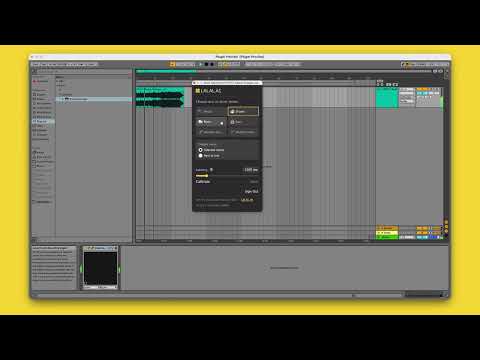
LALAL.AI VST Plugin
LALAL.AI VST plugin is an AI stem-separation plug-in that runs inside a DAW using Lyra, LALAL.AI's on-device model for local audio processing. It splits a mixed track into seven stems — vocals, instrumental, drums, bass, piano, acoustic guitar, and electric guitar — without uploading audio to a server. GPU and NPU acceleration keep separation to a few seconds per track, with no cap on file length or track count. The plugin ships as VST3 for Windows, macOS, and Linux, with an AU build in beta and no AAX support.
Price: 13.5
Price Currency: EUR
Operating System: Windows 10
Application Category: Multimedia
4