


- Developer: Rapid Flow
- Version: 1.0.5
- File Size: 22 MB
- Formats: VST3, AU
- System Requirements: macOS 10.14+
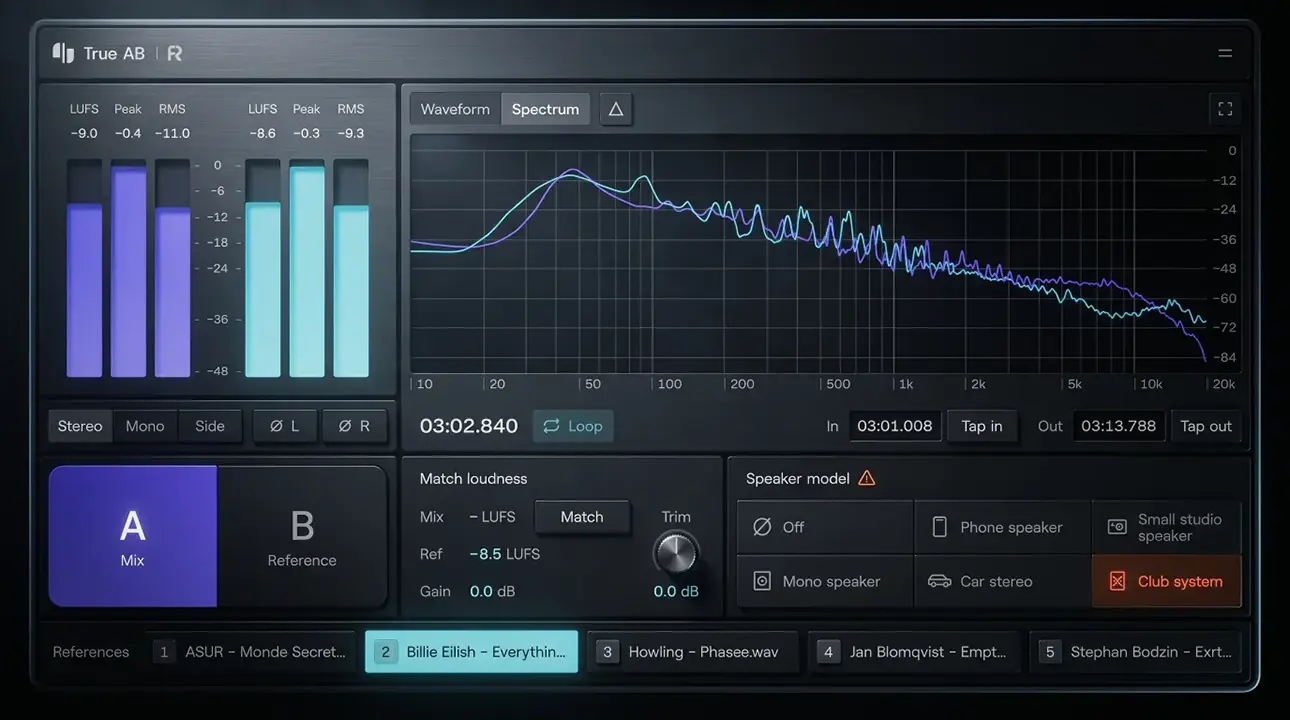
True AB helps you hear why your mix sounds different from a released track, from overpowering bass to details that get lost. Compare at matched loudness, see frequency differences, and explore phone, car and club speaker models without leaving your session.
Stop Guessing What Your Mix Needs.
True AB Referencing helps you hear how your track stacks up against released music, so you know what needs adjusting before it leaves your studio.
- Compare at matched loudness
- Check phone, car and club playback
- Hear what disappears in mono
Hear your Mix Beside a Finished Track
Switch between your mix and a finished reference to hear the difference immediately. True AB referencing brings the reference down to your track’s level, so extra loudness won’t skew your judgment.
- Compare against up to five reference tracks
- Loop a chorus or drop for a closer listen
- Switch references with one click
Check your Mix Beyond the Studio.
Start with the club system model and compare your track’s low-end weight with a released reference. Then explore the other playback models to hear which details stay clear and where the balance changes, while you can still make adjustments in your session.
- Check bass audibility on phones
- Check if your vocal loses level in mono
- Spot overpowering bass in cars
Hear What Stereo Hides.
True AB lets you check what weakens in mono and listen to the side signal for low-end clutter in wide reverbs. Hear where the problem is before deciding what to change.
- Stereo: Hear the full mix
- Mono: Check what loses impact
- Side: Inspect your wide effects
Find The Problem Before You EQ.
Expand the spectrum to inspect the frequency balance, check your loudness and peaks, or listen to the side signal for low-end clutter in wide effects. Give your next adjustment a clear reason.
- LUFS, Peak and RMS metering
- Expandable spectrum display
- Whole-file or selected-loop views
The Difference is Obvious
Mixing without a reference
- Rely on memory
- Louder can sound better
- Guess where the balance is off
- Judge through one playback setup
- Miss what stereo hides
Mixing with True AB
- Hear the difference instantly
- Compare at matched loudness
- Inspect frequency differences
- Check five playback models
- Check your mix in mono and side
Hear What To Change. Know Why.
- Instant A-B Switching
- Up to 5 Reference Tracks
- Automatic Loudness Matching
- Adjustable Reference Loops
- 5 Speaker & System Models
- LUFS, Peak & RMS Metering
- Expandable Spectrum Analyser
- Stereo, Mono & Side Monitoring
- Left – Right Polarity Invert
- MIDI & Keyboard Mapping
- Tap In – Out Loop Controls
- Light & Dark Themes
Flexible Themes. Clearer Views.
Choose the view that keeps your session easy to follow. Switch between Light and Dark themes to suit your workspace, and expand the spectrum when you need a closer look at your mix’s frequency balance.
- Light & Dark Interface Modes
- Expandable spectrum display
- Whole-track or loop views
