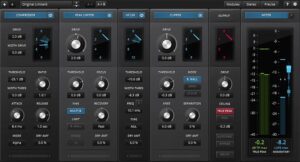
- Product: TDR Infrasonic
- Developer: Tokyo Dawn Labs
- Version: 1.1.2
- Format: VST2, VST3, AU, AAX
- Requirements: Mac OS X 10.9 or later
- Source: tokyodawn.net/tdr-infrasonic
TDR Infrasonic is a specialized high-pass filter built specifically for the sub-20 Hz region — the range that meters rarely display and speakers rarely reproduce, but that consumes headroom, induces woofer excursion, and survives unmanaged into disc cutting and broadcast chains. It operates in selectable minimum or mixed phase modes, runs a continuously variable slope from 3 dB/oct to 48 dB/oct, and addresses the fundamental problem of high-pass filtering at low frequencies: energy removed below the audible range is gone, but its perceptual presence — the sense of sub weight — often isn’t recoverable through gain alone. The plugin’s energy compensation section (Dynamic Bump, Even/Odd harmonic exciters, Subharmonic generator, Low Clamp) is built to replace that energy on different terms. An Inv mode repurposes the filter curve as a low-pass to isolate or route subwoofer content. The analyzer resolves spectrum down to DC.
Key Takeaway
A mastering chain running material to vinyl, broadcast, cassette, or any medium with a hard subsonic boundary needs this tool before the output stage — the alternative is hardware cutting, transfer loss, or a generic high-pass with no compensation strategy. Sessions working entirely in the digital domain with full-range playback get less from it: there is no subsonic management problem without a frequency boundary downstream. Engineers expecting a broad-purpose high-pass for tracking or mix cleanup will find the frequency range (5–100 Hz) and specialized compensation system oriented toward a narrower set of transfer-medium decisions.
Minimum Phase vs Mixed Phase — Transient Behavior Below 50 Hz
The Min mode is zero-latency, which makes it compatible with live monitoring and latency-sensitive routing. The tradeoff is phase distortion that scales with filter slope steepness — a 48 dB/oct curve in Min mode introduces significant phase rotation across the frequencies it attenuates, which spreads transient energy in time. At 5–20 Hz this phase shift is largely inaudible directly, but it can alter the perceived attack and body of kick drums and bass instruments at the lower edge of the audible range when slope is pushed high.
The Mxd mode introduces plugin latency but keeps the phase response linear above 50 Hz. For disc mastering or any application where the filter’s influence on the audible range must be measurable and controllable, this linearity matters: a minimum phase filter’s phase rotation at 30–50 Hz remains audible in time-domain comparison even when amplitude response is matched. Fixed Latency mode in the context menu maintains a consistent latency value across mode switches, preventing abrupt host delay compensation changes when toggling Min and Mxd for comparison during a session.
The practical distinction is session type. Mixing and tracking chains where zero latency is a workflow requirement use Min; mastering chains where the output medium defines a strict phase specification use Mxd. The two modes produce different filter shapes on the same source — they are not interchangeable versions of the same operation.
Continuously Variable Slope — 3 dB/oct to 48 dB/oct
The slope control sweeps continuously between 3 dB/oct and 48 dB/oct rather than snapping between fixed-order options. At 3 dB/oct, the filter barely attenuates across the subsonic range — it is audibly transparent above 10 Hz and produces a gentle roll-off useful for DC removal without affecting 20–30 Hz content. At 48 dB/oct, it acts as a steep subsonic brick wall. The intermediate range — 12 to 24 dB/oct — is where most disc mastering and broadcast applications land: enough attenuation to protect the cutting head or prevent broadcast limiting activation without the audible transient smearing of extreme slopes in Min mode.
The slope display defaults to percentage (0% = 3 dB/oct, 100% = 48 dB/oct). A context menu toggle converts the readout to dB/oct for engineers who prefer to work in that unit rather than relative percentage. The cutoff frequency is defined at the -3 dB point and runs from 5 Hz to 100 Hz — the 1.1.0 update raised the ceiling from 50 Hz to 100 Hz, which makes the filter usable as a conventional high-pass for bass-heavy material before broadcast loudness processing, not solely as a deep subsonic tool.
The combination of continuously variable slope and a 5–100 Hz range means the filter doubles as a low-frequency management tool for non-specialist applications — but the compensation section is calibrated for the subsonic range, and its behavior becomes less relevant as cutoff frequency moves toward 80–100 Hz.
Dynamic Bump and Three Harmonic Compensation Modes
When a steep high-pass removes 20–30 Hz content, the spectral density around 40–60 Hz often drops perceptually — even if those frequencies are technically above the cutoff. The Dynamic Bump compensates by adding up to +6 dB at the filter’s transition region in response to signal content, not as a fixed shelf. It tracks program material and applies the bump only when the subsonic content being removed would otherwise cause a detectable energy drop above the cutoff. The boost is visible on the filter magnitude display in real time.
The Even and Odd harmonic exciters generate second-order and odd-order harmonic series from the removed sub content and reintroduce them into the audible range. Even harmonics produce a warmer, rounder replacement — the second harmonic of a 20 Hz fundamental lands at 40 Hz, which is within the range where bass body lives on consumer speakers. Odd harmonics produce a brighter, more present character. Both have independent level controls and can run simultaneously. The Subharmonic generator works in the opposite direction — it synthesizes a signal one octave below the input frequency, adding sub content that was never there, which is distinct from replacing removed content. The Subharmonic includes its own odd-harmonic series, which affects the timbral character of the generated signal.
Low Clamp (added in v1.1.0) is a distortion-shielded momentary clipper that acts only on low-frequency transients exceeding a set threshold. It differs from the harmonic generators in that it limits dynamic peaks rather than replacing removed energy — for material with infrequent subsonic spikes, such as a kick drum with inconsistent sub transients, Low Clamp can reduce headroom consumption without a continuous compensation strategy.
Inv Mode and Subwoofer Channel Creation
The Inv mode, added in v1.1.0, inverts the high-pass filter curve into a low-pass, passing only the frequencies the standard mode would remove. In monitoring use this allows direct auditioning of the subsonic region being filtered — the frequencies the plugin removes become the only thing heard, which confirms whether the energy being cut is genuinely sub-20 Hz content or whether the filter is reaching into audible bass. As a routing tool, Inv isolates low-frequency content into a dedicated signal path for subwoofer channel creation from a wideband source.
The Mix control adjusts the wet/dry blend across the full signal path, with 100% passing only the processed signal and 0% passing the unprocessed input. This is not a standard parallel dry/wet — at Mix settings between 0% and 100%, the unprocessed subsonic content blends with the filtered signal, which means partial Mix settings allow a calibrated amount of subsonic energy to survive into the output. For disc mastering this control requires precision: a Mix setting of 90% passes 10% of the unfiltered subsonic content, which may be enough to cause cutting stylus issues at high modulation levels. Most mastering applications for disc or broadcast run Mix at 100%.
DC Level Indicator and Sub-20 Hz Spectrum Resolution
The analyzer resolves spectrum down to DC — the zero-Hz floor where constant-voltage content from poorly grounded or DC-coupled equipment accumulates. The DC Level Indicator meters estimated input DC content independently of the spectral display, providing a separate readout that confirms whether DC is present at a level worth addressing. DC at sufficient amplitude shifts the signal’s baseline and consumes headroom asymmetrically, causing half-wave clipping before symmetrical clipping would otherwise occur.
The 1.1.2 subsonic monitoring mode extends the analyzer’s practical use — the specific implementation is documented in-product but the design intent is real-time visibility of sub-20 Hz signal behavior during monitoring, distinct from static spectral analysis. Analyzer smoothing is user-selectable across Raw, 1/12-oct, and 1/3-oct resolution, and Analyzer Precision offers three timing-versus-resolution tradeoffs. At maximum precision and raw smoothing, transient subsonic events — a single kick hit with unusual sub energy, a handling noise — are visible as discrete events rather than averaged curves.
The fullscreen display mode scales the analyzer to full monitor resolution. On multi-display setups the fullscreen view can run on a secondary monitor, which leaves the DAW session on the primary display for concurrent editing.
No Multiband Routing, No Sidechain, No Mid/Side
TDR Infrasonic operates on the full input signal — there is no per-band processing after the high-pass, no mid/side routing, and no sidechain input for frequency-selective or level-triggered operation. The Mix control blends the full processed output against the full dry signal; there is no dry/wet control that applies only to the compensation generators independently of the filter. Engineers expecting to run the harmonic compensation only on the mid channel while the filter operates on full-width material work outside the plugin’s signal architecture. The compensation generators — Dyn Bump, Even, Odd, Subharmonic, Low Clamp — are all downstream of the same filter and operate on the same post-filter output; they cannot be routed independently or applied to different frequency bands above the cutoff.
FAQs
-
When does the mixed phase mode’s latency cause a host delay compensation problem?
Mixed phase mode introduces latency at the plugin’s output; well-behaved DAWs report this to the host’s PDC system and offset downstream tracks automatically. Switching between Min and Mxd mode mid-session changes the reported latency value, which triggers PDC recalculation in some hosts — this can cause brief audio interruptions or automation offset. The Fixed Latency context menu option holds the reported latency constant regardless of active mode, preventing that recalculation at the cost of a fixed delay buffer even in Min mode. Sessions comparing Min and Mxd behavior in real time without audio interruption require Fixed Latency enabled before switching.
-
What is the practical difference between Even harmonics and the Subharmonic generator?
Even harmonics synthesizes a second-order harmonic series upward from the removed subsonic content — a 20 Hz fundamental generates a 40 Hz primary harmonic, which lands in the bass body range on consumer speakers. The Subharmonic generator produces a signal one octave below the detected input frequency, adding content that was absent from the source before filtering. The Even harmonics mode replaces perceptual weight that was removed; the Subharmonic mode adds sub weight that was never present. Both serve different material conditions — dense bass-heavy program material that loses body through filtering responds to Even harmonics, while thin material lacking sub content uses the Subharmonic generator to introduce it.
-
Does the Inv mode process audio or only change the monitoring signal?
Inv is a full signal processing mode — it inverts the filter curve so the plugin outputs only the low-frequency content below the cutoff rather than removing it. The output is the filtered-out band, not a monitoring-only parallel tap. For subwoofer channel creation, Inv mode routes this low-frequency signal to a separate track output. For auditioning the removed range, it is used in a solo or temporary bypass configuration rather than left active in a mastering chain output — leaving Inv active in a full-bandwidth output passes only the subsonic range and removes all audible content above the cutoff frequency.
-
How does Low Clamp differ from simply increasing the filter slope?
Increasing filter slope attenuates the subsonic range more aggressively across all program material, including controlled low-frequency content that may contribute to perceived bass weight. Low Clamp applies distortion-shielded clipping only to transient peaks that exceed a set threshold, leaving the continuous low-frequency program material below that threshold unprocessed. On sources with occasional subsonic spikes — kick drum recordings with inconsistent sub transients, live material with handling noise — Low Clamp removes the headroom-consuming peaks without the continuous spectral thinning that a steeper slope filter would introduce across the full program.
-
What does the subsonic monitoring mode added in v1.1.2 do?
The v1.1.2 subsonic monitoring mode provides real-time visibility of sub-20 Hz signal behavior during active monitoring rather than requiring the user to pause and analyze the static spectrum. The implementation details are documented in-product via the dynamic help system. It extends the practical use of the analyzer for production workflows where subsonic content is changing in real time — live tracking, dynamic program material, or iterative subsonic filter adjustment — rather than static spectral assessment of completed material.
Tokyo Dawn Labs TDR Infrasonic
TDR Infrasonic is a specialized high-pass filter built specifically for the sub-20 Hz region — the range that meters rarely display and speakers rarely reproduce, but that consumes headroom, induces woofer excursion, and survives unmanaged into disc cutting and broadcast chains. It operates in selectable minimum or mixed phase modes, runs a continuously variable slope from 3 dB/oct to 48 dB/oct, and addresses the fundamental problem of high-pass filtering at low frequencies: energy removed below the audible range is gone, but its perceptual presence — the sense of sub weight — often isn't recoverable through gain alone. The plugin's energy compensation section (Dynamic Bump, Even/Odd harmonic exciters, Subharmonic generator, Low Clamp) is built to replace that energy on different terms. An Inv mode repurposes the filter curve as a low-pass to isolate or route subwoofer content. The analyzer resolves spectrum down to DC.
Price: 40
Price Currency: EUR
Operating System: Mac OS X 10.9
Application Category: Multimedia
4.4
![Read more about the article Tokyo Dawn Records TDR Special Filters Bundle [MAC]](https://plugincrack.com/wp-content/uploads/2025/04/tokyo-dawn-labs-tdr-special-filters-bundle.webp "Tokyo Dawn Records TDR Special Filters Bundle [MAC] 3 | Plugin Crack")